Select language: English  German  French  Spanish  Russian  Portuguese 
Overview Features Download Buy Support About


Anyplace Control


  Version:
  Release:
  Size:
  Price:
4.8.2.0
02.10.2008
3.2M
from 44.99$
Download Buy now!

Product Info


Topics


Resources


anyplace-control.com > download

Download Information

The latest version of Anyplace Control is 4.8.2.0

Please read what's new in the latest version here...

Anyplace Control is distributed on the try-before-you-buy basis, so you can download a trial version and evaluate it absolutely free of charge:

FileSizeDownload
Anyplace Control 4.8.2.0
3.2M
Printable User's Manual 887k


Restrictions of the Trial Version

  • 30-day trial period
  • Controlling a max. 5 remote computers.
  • 500 Mb quota in Account Connection mode.

To remove trial restrictions you must register the program.

Requirements

  • CPU: 100 MHz or more
  • Windows 95 98 Me NT4 2000 XP 2003 Vista
  • Network card, modem or other communication device.

Supported languages

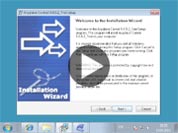
During the installation process you can select the necessary language from list:

English, German, Spanish, French, Portuguese, Russian, Italian.

All languages are available in one installation package.

Installation Guide

What to install, and where to install it:

The software consists of two modules:

  • Host Module - must be installed on the computer that you will control.
  • Admin Module - must be installed on the computer, from where you will control the remote computer.

The installation package contains both modules. You can select the  module to be installed during the installation. You can install both modules on the same computer if you want. To install the software, you will generally need to follow these instructions:

  1. Walk to the computer you want to control remotely (Host PC). Download the installation package from our website to that computer and then install the Host Module on that computer.
  2. Go to your own PC (Admin PC). Download the installation package and install the Admin Module on your computer.

If Host PCs are located within the same LAN as the Admin PC, you don't need to visit every remote machine in person just to install the Host Module. You can install Host modules remotely using the "Remote Installation" feature integrated into Admin Module which you can access via the "Tools" tab.

How to connect and control the remote PC:


Need more information?

Please, read F.A.Q. or User's manual.

keywords: free pc remote control software download, and remote control windows. How to file transfer software or transfer beam file between computers via remote desktop control software and easy remote access? tightvnc. Remote control computer. Both remote assistance software and Remote Access Computer

PRODUCT NEWS
your e-mail address
 

28.08.2008

Version 4.8 has been released!
Read more...


Overview Features Download Buy Support About
   Contact us    Site Map
Copyright © 2002-2008 Anyplace Control Software